Weird Strict Dad Codes — Active & Expired
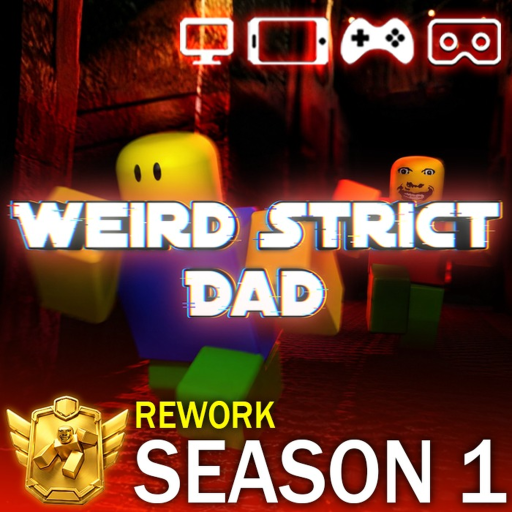
Redeem codes in the Weird Strict Dad lobby to earn free coins and exclusive cosmetic glass items without spending Robux. BlueLoop Studios releases codes during milestones, updates, and social media campaigns. This page lists every known active code, recently expired codes, and step-by-step redemption instructions so you never miss a reward.
Active Codes
These codes are confirmed working as of the latest Season 1 update. Codes are case-sensitive on most clients — type them exactly as shown. Rewards land in your account immediately after a successful redemption message appears on screen.
- FOLLOWGAME — 100 coins. Released to celebrate community growth; ideal for first spins in the MEGA SHOP.
- STRICTRULES — Blank Glass cosmetic. A clear glass item that pairs with other Season 1 accessories.
- 300KMEMBERS — Gold Glass cosmetic. Commemorates 300,000 group members; limited availability may apply.
- EFGUH24G20HE48HGEF — 2 Jumpscare cosmetics. Hidden code also shown when dialing 666 on the Chapter 2 basement telephone — see telephone page.
Expired Codes
The following codes no longer grant rewards. Roblox displays an invalid or expired message if you try them. Keep them for reference in case BlueLoop reactivates codes during anniversary events — though reactivation is rare.
- NEWUPDATE — Tied to a major content patch; expired after the launch window closed.
- HOUSEMODE — Promoted house customization features; removed once the mode went live permanently.
- WEIRDGAME — Early promotional code from the game's initial viral period; fully retired.
How to Redeem Codes
Open Weird Strict Dad from Roblox (game ID 14787369036) and wait for the main lobby to load. Look for the Codes button — typically on the left side of the screen near the shop and settings icons. Tap or click it to open the text field.
Type the code exactly, then press Redeem or Enter. A green confirmation shows the reward name; red text means the code is wrong or expired. Coins update in the top HUD bar; cosmetics appear in your inventory under the glass or accessories tab. Redeem on the account where you want items — codes do not transfer between alt accounts.
- Launch Weird Strict Dad and enter the lobby.
- Click the Codes button on the main menu.
- Enter the code in all caps with no spaces.
- Press Redeem and check your coin balance or inventory.
- Spend coins in the MEGA SHOP or save for future Season 1 drops.
Code Hunting Tips
Follow BlueLoop Studios on Roblox, join their official group, and watch their social announcements for flash codes that expire within 24–48 hours. Weekly Sunday updates sometimes include hidden codes in patch notes or trailer descriptions.
Never trust third-party sites that ask for your Roblox password — legitimate codes only need the in-game redeem box. Bookmark this wiki page; we update active and expired lists whenever new codes drop during events like the anniversary celebration or member milestones.
Frequently Asked Questions
Where is the code button in Weird Strict Dad?
The Codes button is on the main lobby screen, usually grouped with Shop and Settings on the left rail. If you are mid-run, return to the lobby through the menu before redeeming — codes cannot be entered during an active chapter.
Why does my code say invalid?
Common causes include typos, expired promotions, already-redeemed one-time codes, or entering on a test server. Double-check capitalization and confirm the code appears in our active list. NEWUPDATE, HOUSEMODE, and WEIRDGAME are permanently expired.
What does Blank Glass and Gold Glass do?
Both are cosmetic glass items for avatar display in lobby and cutscenes. They do not affect survival stats, Jerry's aggression, or Nightmare Mode difficulty. Gold Glass is rarer and was tied to the 300K member celebration.
Can I redeem the same code on multiple accounts?
Yes, if the code is still active, each Roblox account can redeem it once. Multi-account farming for coins is allowed by most players but check Roblox Terms of Service regarding automation. Never share account credentials.
How often does BlueLoop release new codes?
Expect codes during update weeks, holidays, member milestones, and Season 1 events. Sunday weekly patches occasionally include codes in dev social posts. There is no fixed schedule — follow official channels for fastest notice.