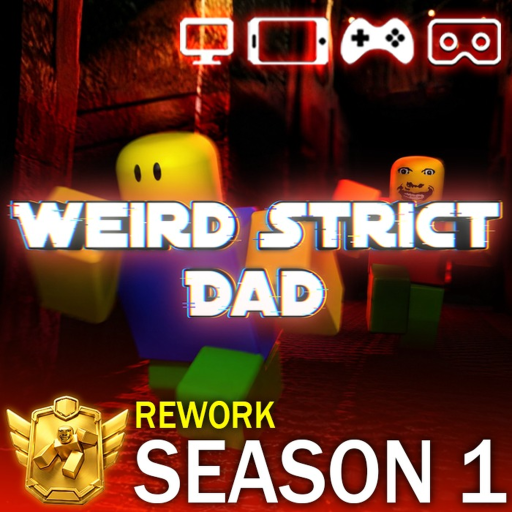
How to Redeem Codes in Weird Strict Dad
Redeeming codes takes less than a minute but new players miss the menu location or type expired promotions. This written guide walks through lobby navigation, capitalization rules, reward delivery, and what to do when codes fail — no video required because the UI is static across Season 1 updates.
Redemption Steps
Launch Weird Strict Dad (Roblox ID 14787369036) from your library or discover page. Wait for the main lobby — not inside an active chapter run. Locate the Codes button on the left toolbar near Shop and Settings icons.
Click Codes, type the promotion in all caps without spaces, and press Redeem. Success shows green text naming your reward. Coins update immediately in the HUD; cosmetics appear in inventory under glass or accessories tabs.
- Open game to main lobby.
- Click Codes on left menu.
- Enter active code (e.g. FOLLOWGAME).
- Confirm green success message.
- Check coins or inventory for reward.
Current Active Codes
FOLLOWGAME gives 100 coins. STRICTRULES unlocks Blank Glass. 300KMEMBERS grants Gold Glass. Do not waste time on NEWUPDATE, HOUSEMODE, or WEIRDGAME — they are expired.
Troubleshooting
Invalid code errors mean typo, expiry, or already redeemed once per account. Ensure you are not on a developer test place copy. Switch servers if lobby UI fails to load Codes button after updates.
Never enter codes on third-party websites asking for passwords. BlueLoop only distributes through official social channels and in-game redeem box.
Spending Redeemed Coins
Take coins to the MEGA SHOP for Season 1 cosmetics, emotes, and spin bundles. Sunday weekly updates rotate stock — spend event coins before patch day if limited items appear.
Co-op Communication Standards
Public Weird Strict Dad lobbies improve dramatically when squads adopt consistent callouts tied to house layout room names and CCTV camera numbers. Assign roles at chapter start: generator captain, CCTV watcher, food quartermaster, and flex scout for gas cans or anomaly sweeps. Voice chat is strongly recommended for Nightmare and Chapter 2 brew guards; text chat alone rarely coordinates fast enough when Jerry reverses patrol direction.
Use short phrases: "Cam 5 clear" before shed refuel, "Jerry ascending stairs" during basement work, "Anomaly seven confirmed static Cam 4" during Chapter 2 scans. Avoid vague directions like "over there" which cause cross-house sprint noise. Private servers let groups practice comms without public matchmaking chaos before attempting badge runs or Infinite Mode high-night records.
BlueLoop Studios & Season 1 Context
Weird Strict Dad is developed and published by BlueLoop Studios on Roblox under experience ID 14787369036. Season 1 reshaped the live game with the MEGA SHOP rework, consolidated cosmetic economy, and a commitment to weekly Sunday content drops that adjust Jerry AI tuning, spawn tables, and limited-time shop rows. Codes such as FOLLOWGAME, STRICTRULES, and 300KMEMBERS are distributed through official social channels during milestones rather than buried in unrelated promotional sites.
When BlueLoop patches on Sunday evenings, expect brief server instability and possible UI shifts in the lobby Codes and Shop buttons. This wiki updates after each major drop, but the developer Trello board remains the timing authority for work-in-progress cards. Treat Season 1 as the current balance baseline for every guide on this site — Nightmare numbers, anomaly locations, and boat O2 drain rates all assume Season 1 unless a patch note explicitly states otherwise.
Survival Stats in Depth
Hunger, thirst, oxygen, and energy form the core survival loop inside Jerry's house and on the Chapter 3 boat. Hunger and thirst decay passively during movement and faster while sprinting. Noodles restore hunger; water restores thirst. Letting either stat bottom out applies movement debuffs and increases heartbeat audio that Jerry's AI can detect at extended range, especially in Nightmare Mode where audio weights are multiplied.
Oxygen ties to generator output in Chapters 1 and 2 — when fuel runs dry, blackouts begin and O2 drains in enclosed rooms without exterior windows. On the boat, portable tanks replace the generator metaphor but punish grouped players who linger below deck without refills. Energy governs sprint duration via Shift on PC or the sprint button on mobile; empty energy forces walking speed during critical chase windows. Cycle consumables during Jerry opposite-wing patrols identified through CCTV rather than during central hallway crossings.
Quick Gameplay Tips
Join the BlueLoop Studios Roblox group for earliest code announcements and Sunday patch summaries. Practice Chapter 1 generator refuel timing in a private server before joining public Nightmare lobbies where coordination varies. Pair this wiki's Survival Checklist on a second screen with CCTV camera callouts during co-op fuel runs. Redeem FOLLOWGAME for starter coins before MEGA SHOP featured rows rotate on weekly updates.
Mobile players should lower Roblox graphics quality if interact prompts lag at the generator shed — missed refuel taps cause O2 wipes. Chapter 2 squads must confirm all seven anomalies in the journal before brewing. Chapter 3 groups should stay stacked on deck during Xenobus tentacle phases and assign explicit rail repair roles during hull assault phase one.
Frequently Asked Questions
Can I redeem mid-chapter?
No — return to lobby first. Codes menu is unavailable during active runs.
One redeem per account?
Yes for each unique code string per Roblox account.
Where do cosmetics go?
Inventory → accessories or glass category depending on item type.
Code button missing?
Rejoin server after update or check mobile UI collapsed menu drawer.